
Table of Contents
- Why Secure Remote Access Matters for Healthcare Organizations
- Step 1: Establish a Healthcare Remote Access Policy Template
- Step 2: Implement MFA Requirements for Healthcare IT
- Step 3: Deploy HIPAA Compliant Remote Access Software
- Step 4: Apply Zero Trust Architecture to Remote Access
- Step 5: Configure Role-Based Access Control and Endpoint Security
- Step 6: Monitor, Audit, and Train Your Team
- Common Mistakes to Avoid When Securing Remote Access
Last Updated: August 27, 2026
Why Secure Remote Access Matters for Healthcare Organizations
Healthcare organizations face a critical challenge: clinicians need access to patient data from anywhere, yet that flexibility creates massive security risk. In 2023 alone, more than 732 healthcare data breaches affecting 500 or more individuals were reported to the Office for Civil Rights (OCR), impacting over 113 million records (hhs.gov). According to IBM's 2023 Cost of a Data Breach Report, the average healthcare breach costs $10.93 million, making healthcare the most expensive industry for data breaches. In H1 2026, there were four times as many malware hits per firewall in healthcare as the next most attacked sector, according to SonicWall 2026 Healthcare Protect Brief.
Secure remote access for healthcare staff isn't optional. Clinicians need to check patient records from home and respond to emergencies outside the office, but every remote connection is a potential entry point for attackers. This guide covers the policies, technologies, and practices that turn remote access from a vulnerability into a controlled, auditable, compliant capability.
Step 1: Establish a Healthcare Remote Access Policy Template
Before deploying any technology, establish a policy that defines what remote access looks like in your organization. Without one, clinicians will use personal devices, access from unsecured locations, and create unknown security gaps.
Your policy should be specific and enforceable. Start by defining scope: which staff members can access what systems remotely, and under what circumstances. A radiologist reviewing images remotely has different requirements than an administrative assistant checking email.
Define approved devices and access locations
Your policy must specify which devices are approved for remote access. Approved devices should meet minimum standards: current operating system, active antivirus or endpoint protection, full disk encryption, and automatic screen locking. You can manage these requirements through Mobile Device Management (MDM) or documented device inventory with regular audits.
Access locations matter equally. Your policy should either restrict access to secure networks (home and office only) or require a VPN for any remote connection. This prevents attackers from intercepting Protected Health Information (ePHI) in transit.
::tip Document your approved device list and access locations in your policy, then make it searchable and easy for staff to reference. :::
Set session timeout and disconnection rules
Sessions should automatically disconnect after a defined period of inactivity. For healthcare environments, 15 minutes is reasonable, long enough that staff don't get disconnected mid-task, short enough that an unattended device isn't a security risk. Require staff to manually disconnect at the end of their session, with automatic disconnection as a failsafe.
Step 2: Implement MFA Requirements for Healthcare IT
Multi-Factor Authentication (MFA) is the single most effective control for preventing unauthorized remote access. When a password is compromised, MFA stops the attacker from accessing your systems.
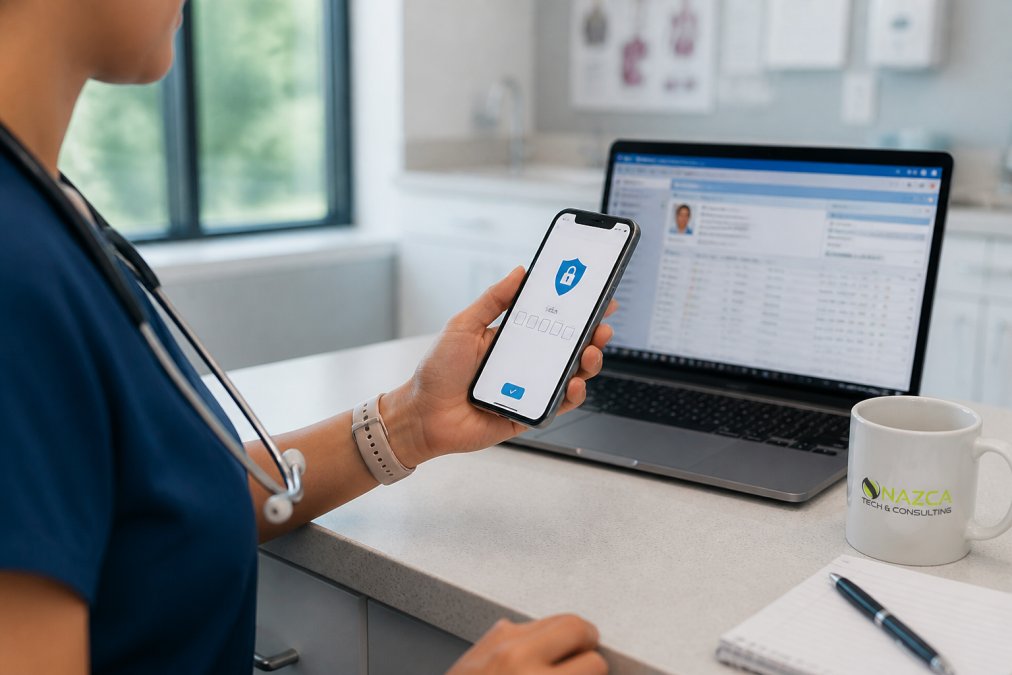
MFA requires something you know (a password) plus something you have (a phone, hardware token, or biometric) or something you are (fingerprint, face recognition). Your policy should require MFA for every remote connection, with no exceptions. The healthcare cybersecurity market is growing, driven largely by organizations implementing stronger authentication controls.
Choose your MFA method
Time-based One-Time Passwords (TOTP) apps like Google Authenticator are free and work offline. Push notifications are more user-friendly, staff receives a notification and approves or denies the request with a tap. Hardware security keys are most secure but require staff to carry a physical device. SMS-based codes are widely supported but less secure.
For most healthcare organizations, a combination approach works best: push notifications as the primary method for remote access, with TOTP as a backup if a staff member's phone is unavailable.
Enforce MFA across all access points
MFA only works if mandatory everywhere. Your policy should require MFA for VPN connections, email, Electronic Health Record (EHR) systems, cloud-based applications, administrative accounts, and third-party vendor access. Enforce this requirement at the system level, making it technically impossible to bypass.
Step 3: Deploy HIPAA Compliant Remote Access Software
The right remote access software is the foundation of your secure remote access strategy. Consumer-grade tools like TeamViewer or AnyDesk weren't designed for healthcare and don't provide the audit trails, encryption, and access controls that HIPAA requires.
Your remote access solution should provide encrypted connections, audit logging of every session, the ability to enforce MFA, and integration with your Identity and Access Management (IAM) system.
Verify encryption and audit logging capabilities
Encryption in transit is essential. Your remote access software must encrypt all data traveling between the clinician's device and your systems using TLS 1.2 or higher with Perfect Forward Secrecy.
Audit logging is equally critical. Every remote access session should generate a log entry that includes who accessed the system, when, what they accessed, from where, and what they did. Test your logging before deployment to verify it captures the right information. Logs should be immutable and retained for at least the period required by your compliance obligations.
Ensure Business Associate Agreement compliance
If you're using a third-party remote access vendor, that vendor is a Business Associate under HIPAA. You need a signed Business Associate Agreement (BAA) that specifies how the vendor will handle ePHI, what security measures they'll implement, and what happens if there's a breach.
The BAA should cover encryption of ePHI at rest and in transit, access controls, audit logging, breach notification procedures, data retention and deletion policies, and subcontractor management.
Step 4: Apply Zero Trust Architecture to Remote Access
Zero Trust Architecture (ZTA) assumes every access request is potentially malicious and requires verification. For remote access, this means:
- Never trust a device just because it's on your network
- Verify every user's identity with strong authentication
- Verify every device meets security standards before granting access
- Monitor every session and revoke access immediately if something looks wrong
- Encrypt all traffic, assuming the network itself is untrusted
Zero Trust requires continuous verification. After a user logs in with MFA, your system should verify that their device is compliant. If the device falls out of compliance, access should be restricted until remediated.
Implement this through a Secure Access Service Edge (SASE) solution or your cloud provider's equivalent. The shift to Zero Trust requires more infrastructure and careful configuration, but your remote access is more secure and your audit trail is clearer.
Step 5: Configure Role-Based Access Control and Endpoint Security
Role-Based Access Control (RBAC) ensures staff can access only the systems and data they need for their job. A nurse reviewing patient vitals doesn't need access to billing records. Implement RBAC by mapping job roles to system permissions. When someone changes roles, update their role assignment and their permissions change automatically.
Endpoint security is your last line of defense. Deploy endpoint detection and response (EDR) software on all devices that access your systems remotely. EDR monitors for suspicious behavior, unusual file access, unexpected network connections, and privilege escalation attempts. Combine EDR with Mobile Device Management (MDM) to enforce compliance policies on phones and tablets.
Step 6: Monitor, Audit, and Train Your Team

Set up alerts for suspicious activity: multiple failed login attempts, access from unusual locations, access at unusual times, bulk downloads of patient records. Audit your logs regularly, don't wait for an incident to review who accessed what. Look for accounts that haven't been used in months, access from geographic locations that don't make sense, access to systems outside someone's role, and off-hours access that's unusual.
Train your team on recognizing phishing emails, never sharing credentials, reporting suspicious activity, and what to do if they suspect their device is compromised. Make training mandatory and annual. Phishing attacks are a leading cause of healthcare breaches.
| Training Topic | Frequency | Duration | Success Metric |
|---|---|---|---|
| Phishing awareness | Annual | 30 minutes | 90%+ staff completion |
| Password hygiene | Annual | 15 minutes | 95%+ staff completion |
| Incident reporting | Annual | 20 minutes | Staff know how to report |
| HIPAA refresher | Annual | 45 minutes | 100% compliance staff |
| Device security | Biannual | 20 minutes | Staff follow policies |
Common Mistakes to Avoid When Securing Remote Access
Mistake 1: Implementing MFA without considering user experience. If MFA is too cumbersome, staff will work around it. Test your implementation with real staff before deploying widely.
Mistake 2: Trusting the VPN as your only security layer. Traditional VPNs authenticate once and grant broad access. A compromised device inside the VPN can access systems it shouldn't. Layer in Zero Trust principles, RBAC, and continuous monitoring.
Mistake 3: Ignoring device compliance. An unpatched laptop with no antivirus is a liability, even if connecting through a secure VPN. Require device compliance as a condition of access.
Mistake 4: Failing to enforce audit logging. If you're not logging remote access sessions, you can't prove compliance, investigate breaches, or detect ongoing attacks. Audit logging is foundational.
Mistake 5: Treating remote access security as an IT problem. Security requires commitment from leadership, adequate budget, and organizational culture that values security.
Mistake 6: Deploying consumer-grade tools in a healthcare environment. Tools like TeamViewer or AnyDesk don't provide HIPAA-compliant audit trails or the access controls you need. Use solutions designed for healthcare.
Mistake 7: Implementing controls without training staff. Your team doesn't understand why these controls exist. Invest in training and explain why security matters.
Securing remote access for healthcare staff is complex but achievable. The framework outlined, policy, MFA, compliant software, Zero Trust principles, RBAC, and continuous monitoring, addresses the core vulnerabilities that attackers exploit.
At Nazca Tech, we've implemented this framework for healthcare practices across the region. Our technicians are trained in HIPAA compliance and ePHI security protocols, and we provide rapid response support when issues arise.
=== FAQ ANSWERS (audit these too, same rules) ===
[1] Q: What are the HIPAA requirements for remote access in healthcare? A: HIPAA requires healthcare organizations to implement administrative, physical, and technical safeguards for ePHI accessed remotely. Technical requirements include encryption for data in transit, authentication protocols like MFA, audit logging of all access, and Role-Based Access Control (RBAC) to limit staff access to only necessary patient information. Organizations must also establish a Business Associate Agreement (BAA) with any third-party vendor providing remote access tools. Documentation of your remote access policy and regular security assessments are mandatory under the HIPAA Security Rule.
[2] Q: How do MFA requirements for healthcare IT improve security? A: MFA requires staff to verify their identity through at least two separate methods before accessing patient data remotely. Even if a password is compromised, attackers cannot access ePHI without the second factor, such as a time-based code from an authenticator app or a biometric scan. In H1 2026, healthcare organizations experienced four times as many malware hits per firewall as the next most attacked sector. MFA significantly reduces the risk of unauthorized access and is a foundational requirement for HIPAA compliance and Zero Trust Architecture.
[3] Q: What should a healthcare remote access policy template include? A: A comprehensive healthcare remote access policy template must define approved devices, allowed access locations, session timeout periods, encryption requirements, MFA enforcement, and incident reporting procedures. It should specify which staff roles can access what data, require automatic disconnection after inactivity, mandate VPN or Zero Trust gateway usage, and outline consequences for policy violations. The policy must also address third-party vendor access, require regular security training, and include procedures for revoking access when staff leave. Documentation ensures consistent enforcement and demonstrates HIPAA compliance during audits.
[4] Q: Is a standard VPN sufficient for secure healthcare remote access? A: Standard VPNs provide encryption but lack modern security controls needed for healthcare environments. A VPN alone does not enforce MFA, RBAC, or continuous device verification. Zero Trust Architecture, which verifies every access request regardless of location, offers stronger protection than traditional VPNs. Healthcare organizations increasingly adopt Zero Trust frameworks because they reduce the attack surface and provide granular audit logging. For HIPAA compliance and protection against the sophisticated threats targeting healthcare, combining VPN with MFA, endpoint security, and session monitoring is essential.
Frequently Asked Questions
What are the HIPAA requirements for remote access in healthcare?
HIPAA requires healthcare organizations to implement administrative, physical, and technical safeguards for ePHI accessed remotely. Technical requirements include encryption for data in transit, authentication protocols like MFA, audit logging of all access, and Role-Based Access Control (RBAC) to limit staff access to only necessary patient information. Organizations must also establish a Business Associate Agreement (BAA) with any third-party vendor providing remote access tools. Documentation of your remote access policy and regular security assessments are mandatory under the HIPAA Security Rule.
How do MFA requirements for healthcare IT improve security?
MFA requires staff to verify their identity through at least two separate methods before accessing patient data remotely. Even if a password is compromised, attackers cannot access ePHI without the second factor, such as a time-based code from an authenticator app or a biometric scan. In H1 2026, healthcare organizations experienced four times as many malware hits per firewall as the next most attacked sector. MFA significantly reduces the risk of unauthorized access and is a foundational requirement for HIPAA compliance and Zero Trust Architecture.
What should a healthcare remote access policy template include?
A comprehensive healthcare remote access policy template must define approved devices, allowed access locations, session timeout periods, encryption requirements, MFA enforcement, and incident reporting procedures. It should specify which staff roles can access what data, require automatic disconnection after inactivity, mandate VPN or Zero Trust gateway usage, and outline consequences for policy violations. The policy must also address third-party vendor access, require regular security training, and include procedures for revoking access when staff leave. Documentation ensures consistent enforcement and demonstrates HIPAA compliance during audits.
Is a standard VPN sufficient for secure healthcare remote access?
Standard VPNs provide encryption but lack modern security controls needed for healthcare environments. A VPN alone does not enforce MFA, RBAC, or continuous device verification. Zero Trust Architecture, which verifies every access request regardless of location, offers stronger protection than traditional VPNs. Healthcare organizations increasingly adopt Zero Trust frameworks because they reduce the attack surface and provide granular audit logging. For HIPAA compliance and protection against the sophisticated threats targeting healthcare, combining VPN with MFA, endpoint security, and session monitoring is essential.
This article was written using GrandRanker